Your Security Business Can Make More Sales with CRM Technology

Running a security business can be quite rewarding, offering peace of mind to your customers who want to protect their assets and their families.  Yet, between sales pitches, expenses, installation specifications, and customer service, it can be a lot to keep up with.  Enter CRM technology.  This technology creates a database that manages all the important facets of your security business so that it runs with more efficiency, saving time and money.  CRM RUNNER, the best CRM solution for security businesses, not only furnishes invoices, but also works as a dispatch center, electronic document system, and a marketing tool.

When customers begin researching security solutions, they will come to your website after a quick visit to their preferred search engine.  CRM RUNNER allows businesses to build professional landing pages that can maintain a contact list of those who visit your website for later follow-up. As customers “shop around,” it is important that you employ a software that allows you to collect this vital contact information to be able to reach customers so that they will understand why your offering is the best solution for their needs.  Once contact information is obtained, your sales team can reach out to potential customers directly, with one-click phone dialing thanks to VoIP phone integration.  Team members can take notes on calls and save them to the client’s profile for easy reference in the future.  Security system installation offers a wide array of services, so it is important to really listen to the customer’s needs before making a proposal.  Whereas some may want only a keypad at their entrance, others may want all the bells and whistles when it comes to surveillance, like 24/7 video recording.  Every case is different, and under or overselling may cause the sale to fall through.  CRM RUNNER helps you ensure your sales team knows what is available for your customers.

CRM RUNNER helps your business stay in contact with customers.  Some customers are indecisive, so consistent promotional efforts by email and by text (SMS) encourage the customer to understand your business’ security solutions.  Using CRM RUNNER, you can maintain distribution lists and send messages in bulk.  This is a useful tool for advertising special discounts or for upselling to clients.  Even as new technology hits the market, you want your past customers to be the first to know when these solutions are available.  CRM RUNNER offers rich text formatting and document attachment so that you can include all the pertinent details with your message.

In serving the community with security products, it is important to meet the customer’s expectations and needs.  CRM RUNNER allows business leaders to maintain contact with their clients and help them find the solutions that will make them feel safe and secure in their own home or business.

If you are new to using this software, then you can use our 14 days free trial or check our PRICING here.


How CRM can keep your Printing & Personalization Company Organized

Running a printing and customization company is no small feat, and you need CRM technology that can keep up.  From taking orders to sending samples, to notifying your clients of promotions, and everything in between, there is a lot to get done!  Using a CRM database like CRM RUNNER will keep everything running smoothly.

When customers visit your website, for example, they can come to your landing page which CRM RUNNER provides with a fresh and modern template.  On the landing page, software collects the viewer’s contact information and saves it to CRM RUNNER.  Now your business has a list of potential sales leads that populates itself 24 hours a day.

Once customers are brought into the mix, they can be tracked using CRM RUNNER´s Sales Funnel feature.  The sales funnel feature displays where potential clients are in the sales process.  An easy drag-and-drop method allows managers to sort their teams’ prospect by level in the sales funnel.  Double clicking on the prospect brings up contact information, and there is a one-click button to place a phone call to the client.  Clients can also be contacted by bulk email or by text (SMS) message, making it easy to share newsletters, upcoming promotions and trends for seasonal products, and coupons.

Once your client is on board with your company, there are the matters of mockups, screens, inventory availability, changes in pricing, shipping, billing and inevitably, a few returns.  All of these facets can be managed by CRM RUNNER.  This powerful software can handle not only call center duties with VoIP integration but also functions as an electronic document center.  Documents can be attached to customers, tasks, or projects for easy review.  Electronic signature means easy sign off procedures for customers and vendors.  You can even grant different permissions to various users so that only those who need to do so may view the files.

Payment is easy to collect using CRM RUNNERInvoices based on inventory and services provided are easily converted from estimates, both on pre-designed templates featuring your company logo and message.  Payment can be collected directly inside the software and fully integrates with your current finance software.  Returns can also be marked in the software for efficient processing.

If your company does delivery, this process can also be managed using CRM RUNNER thanks to its mobile application and GPS tracking.  Payment can be accepted on the road, automatically closing the invoice and sending the customer a receipt.  GPS Tracking lets you confirm driver routes and customer location.  Street view allows you to see exactly where the customer is.

Printing and promotion offices can be busy places with the creativity and logistics that come in the field.  However, CRM technology like CRM RUNNER organizes much of that work so that your business can do what it does best, get the customer his product.

If you are new to using this software, then you can use our 14 days free trial or check our Pricing here.

We are one-stop-shop for marketing resources

It is imperative that businesses take advantage of best marketing practices.  To do this, they must not only know their current market but identify emerging ones as well.  CRM RUNNER offers a variety of tools that make it a one-stop-shop for marketing resources. It is imperative that businesses take advantage of best marketing practices.  To do this, they must not only know their current market but identify emerging ones as well.  CRM RUNNER offers a variety of tools that make it a one-stop-shop for marketing resources.

Landing Pages:  Design a landing page (home page) for your website using CRM RUNNER’s customizable template.  The templates are both contemporary and professional and provide the opportunity to gather contact details on interested parties who visit your website through contact forms.  This list can be imported directly into the Sales Funnel module to ensure potential customers are contacted promptly and by the right person to make that call.

Email Marketing: CRM RUNNER allows businesses to maintain detailed contact lists of potential, current, and past customers.  The software allows users to create distribution lists so that customers can be sorted by various demographics.  Once the distribution list is made, the business can send mass email directly within the software which allows for rich text formatting and document attachment.  Emails will arrive with a professional look that will build trust within your customers. Send the right message, the right way, to communicate business updates, share newsletters, offer promotions, collect surveys and more.  Staying in touch with your client base will allow your company to stay relevant for your customers.

Call Center:  Direct marketing is made easy by CRM RUNNER’s call center.  With the list of contacts, employees can dial potential customers with one click using VoIP technology.  Call notes are maintained within the software as well as estimates and invoices, so keeping customers moving through the sales process is a breeze.

Text (SMS) Messaging:  SMS messaging gets your information directly to a mobile device via text message.  In today’s fast-moving world, this approach grabs the attention of customers who might overlook email or reject phone calls  This feature provides instant connections with customers, especially useful for short messages that could promote a sale or update on your business.

Referrals CRM RUNNER also has a referrals module to track how customers come into contact with your company.  This valuable information provides data that will allow business leaders to study current and emerging markets.

Marketing initiatives drive the process of helping customers find the right product and services for their needs.  By employing CRM technology like CRM RUNNER, your business can ensure it is the first and best offer for potential customers.

If you are new to using this software, then you can use our 14 days free trial or check our PRICING here.
Does your CRM Software Go Mobile?

CRM Technology is a powerful tool that aims to help businesses stay on target in their daily operations, finances, customer contact, and marketing efforts.  However, it is able to go much further with a mobile applicationCRM RUNNER not only offers desktop and browser-supported software, but it is also fully accessible on a mobile device.  That means all the information available to the staff in the office is equally ready for the fieldworker on the road.  With the ability to set user permissions, the mobile device can be particularly helpful for contractors and fieldworkers who need specific tools, widgets, and modules at their disposal.  Even GPS capability and push notifications mean a smoother workday for employees as well as a more positive overall experience for your customers.

The mobile application of CRM RUNNER offers all the same tools available on a computer.  These tools in particular are invaluable to the employee using the software on-the-go.

CRM RUNNER provides GPS tracking for employees so business leaders know where their employees and equipment are at any given moment.  This provides more security for your business.  Expenses for mileage will be accurate and service routes will be optimally planned.  Using GPS, businesses can also send text (SMS) updates to employees and customers to keep the day’s work moving smoothly.  Customers can receive notification that their service provider is on their way, and employees can receive end of work day notifications as well.

Document storage is especially useful for the fieldworker equipped with CRM RUNNER.  All of the necessary documents such as schematics, reports, estimates, invoices, and service plans are available to view by accessing them through CRM RUNNER.  Changes can also be made, providing real time updates to the whole team.  Electronic documents can be sent to the customer through the mobile application so he stays privy to updates as they occur.

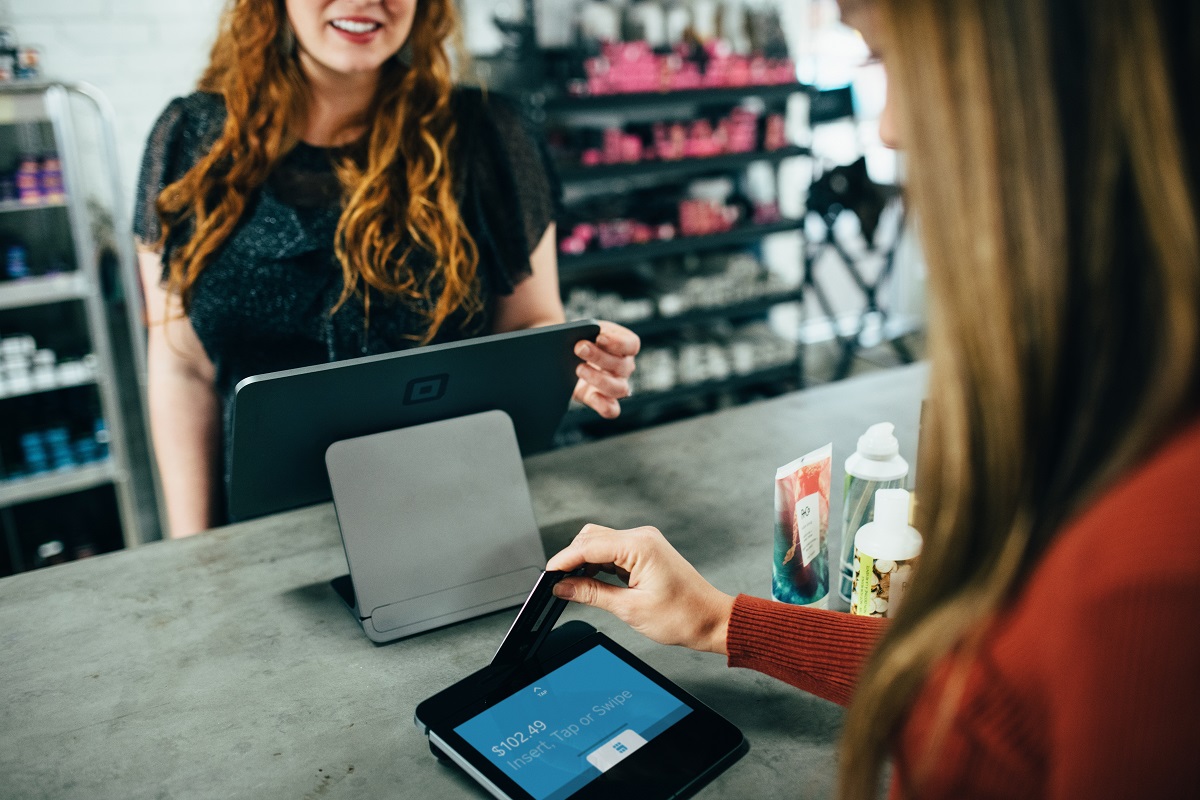
Employees can collect payments through the mobile application and a receipt can automatically be generated and sent to the customer.  Likewise, a chat feature within the application means that the same fieldworkers can send this work to the home office for completion as well.  The flexibility ensures that work is completed accurately and promptly, providing more accountability.

As the world becomes even more fast-paced, CRM technology needs to keep up.  CRM RUNNER meets that challenge with its mobile application which brings the office out on the road.  More efficiency will lead to happier customers, more referrals, and a stronger business.

If you are new to using this software, then you can use our 14 days free trial or check our Pricing here.

Track your Tasks and Keep that Day Right On Plan

Four CRM RUNNER tools to make managing business tasks easier.

In any business, our to-do lists grow incessantly.  Between contacting customers, updating projects, maintaining inventory, marketing, sales, and finances, it is often hard to find time to get everything done, let alone breathe.  Automating and streamlining these processes gives business teams the opportunity to work more productively, ultimately closing more deals at the end of the day.

CRM technology provides many solutions to make accomplishing your to-do list easier than ever.


  • Task Assignments: Use CRM RUNNER to import your employees and team members.  Then, assign tasks to them using the software.  This provides documentation of all assigned tasks as well as a space to store details and schematics.  Task progress can be updated throughout the process, so everybody is in the loop.  Tasks assigned with specifics and deadlines are more likely to be completed as expected, and organizing them within CRM RUNNER helps ensure this is the case.


  • Projects: Projects really consist of many tasks.  CRM RUNNER allows business leaders to group tasks within a single project and assign not only to individuals, but also an entire team.  By setting specific user permissions, leaders can also control who has access to what information.  For example, contractors might be able to access expenses and inventory but not customer details.  Internal employees will have more access to get their particular tasks completed in a timely fashion.


  • Plan Room: CRM RUNNER offers a specific module to manage these tasks and projects, Plan Room.  Within the Plan Room, task and project assignments are supplemented with important documents such as product specifications, timelines, and customer requests.  These resources will be available to everyone who has the software.  With the mobile application, these documents can even be reviewed on the road using a mobile device.


  • Widgets: Several widgets and tools within the software help keep your daily tasks on target.  The application shows a to-do list on the home-screen, giving a run down of the tasks to accomplish in the near future.  The calendar and scheduler tools utilize drag-and-drop technology to easily review and change your agenda as your accomplish tasks.  These tools interact with other components of the software so that everything remains up-to-date and in one place.

CRM RUNNER is powerful software that makes keeping track of your daily activities simple.  As your team progresses, updates are made and questions resolved.  Tasks can even be tracked as expenses for payroll and invoicing purposes.  This ultimate rule of efficiency means a better service provided to your customers, every time.

If you are new to using this software, then you can use our 14 days free trial or check our pricing here.

Customer Management PROs Use CRM Technology

Without customers, there is no business.  Customer Management is an important part of any business model, especially in one which revolves around closing sales.  Technology like CRM RUNNER makes the customer management process smoother for businesses.  Acquiring customers, meeting their needs, staying in contact, collecting payment, and getting them to spread the word about your business are all challenges that CRM technology makes seamless.

CRM RUNNER uses the Sales Funnel module in conjunction with your company’s landing page (also a feature of CRM RUNNER) to collect the names and contact information of potential customers as they visit your website.  Once the contacts are populated, they can be sorted into the various stages of the sales funnel for team members to contact as assigned by the manager.  This tool means that customers stay motivated to consider your business no matter the stage they are in the Sales Funnel.  It also means the best man for the job can be assigned as he progresses from prospect to paying customers.

Once a customer is interested in the product or services, the company can furnish an attractive estimate with a pre-designed template which features the company’s logo and contact information.  CRM RUNNER allows team leaders to pair tasks with services and make assignments via the Plan Room.  This spells out efficiency for those within the company, but even better, quality service for the customer who knows exactly where his project stands at any given moment.

CRM RUNNER maintains all of the contact information for potential and current customers such as phone, address, email, and even birthdays.  This makes connecting with customers faster as the software provides one-click calling as well as bulk text (SMS) and email messaging.  As customers are converted and expenses translate to invoices, the customer stays informed along the way.  Invoices can be sent directly to customers and payment can be received within the application to streamline the process.

Even customer retention and referrals are managed directly within CRM RUNNER.  Customer information is retained for business promotions, sales, and follow-up.  One-click dialing means a customer can be on the line in seconds so that staff moves quickly through call lists, meaning more contact with customers and ultimately, more sales.  A separate referral modules shows how customers come into contact with your company be they through former customers, email, or the website.  This provides insight about successful and untapped markets as your business grows.

Keeping customers happy is pinnacle in running a solid business.  Customers are looking for professional and timely service, which CRM RUNNER aptly enables you to provide.

If you are new to using this software, then you can use the Company’s 14 days free trial or check our pricing here.

Simplify your Transactions In One Move

When running a business, keeping accurate records of transactions is a crucial part of daily operations.  Be it for inventory, taxes, or bookkeeping, every transaction must be accurately documented.  Whereas many small business owners are still using spreadsheet documents and carbon copy receipt books, savvy business leaders use CRM database software, like CRM RUNNER, to track transactions in a way that is easy, efficient, and professional looking.

Estimates and invoices can be prepared quickly, using a template that showcases your company´s logo and contact information, sending professional and timely documents to customers.  These documents can be sent electronically for a faster turnaround and guaranteed receipt.

Both services and inventory items can be tracked within the software, giving real time metrics on service hours and stock.  As employees build estimates for clients, services and inventory are attached to the project.  Once approved and completed, invoices can be sent quickly so that payment is collected promptly.  Notifications can be sent to customers regarding their payment by email or by SMS.  If a phone call is required regarding an invoice, the customer can be connected via VoIP in a single click.

Another benefit of using CRM RUNNER for business transactions is that the payment can be collected in the database itself.  This means that payment records are attached to the client or contractor and accurately reflected on account for each party.  The software offers full integration with your current finance and payment software which means less clicking through screens to process payments, saving time and energy.

As CRM RUNNER is available as a mobile application, field workers and managers can send and update invoices from any location with a mobile device.  Invoices can also be paid using the mobile application of CRM RUNNER.  Payment can be collected on the road and rectified by other departments at the home base.

Customers will find peace of mind in paying through software after having received a professional invoice.  Likewise, managers and business owners can rest assured that finances are in order.  The CRM software also offers the capability of running reports on transactions, providing information on inventory, sales trends, revenue and more.

Gone are the days of using receipt books and ledgers to manage finances.  You will no longer need to use separate software for credit card and debit card transactions thanks to the integration capabilities of the software. Simply your payment process by using CRM RUNNER today. You can take a 14 days free trial of this software from CRM Runner and even check its pricing too.

Benefits of Call center integrated CRM

Call center services are critical for customer retention. Reports suggest that dissatisfied clients go for the products of your competitor because of poor customer service. The latest advancement in call center CRM telephony and predictive analytics should be integrated with the call center CRM software to provide a hassle-free experience to the clients. It is important to remove any gaps in information between call center software and CRM.

It is important to carry out enrichment of CRM data with details from phone interactions. The teams should be able to correctly access the precise contact data through the automation of a part of the sales processes. Assist your teams to increase their sales by providing the right integration of call center software and CRM

Call Center CRM

Call center software helps in making and receiving of calls, generating IVR responses and keeping a record of the quantum of calls. Call center CRM enables you to get a holistic view of the progress of customer-related vectors. Before the customer’s call is answered you’re in a position to understand the needs of the prospective lead and provide you with the capability to offer customized and targeted service.

Benefits of Call center integrated CRM

The precise contact information can be stored. Teams will not miss out on important details about their leads. Continuous enrichment of CRM takes place with flawless information from interactions over the phone. Whole teams will be on the same wavelength and productivity factor is increased.

Task Automation

Save precious time for the team by automation of specific business tasks. No matter if a call is missed, CRM will enable the creation of a new case file with the attributes of call data and voice mail.

Top Benefits of call center CRM

Get a thorough view of the customer

Be completely aware of the customer’s interactions with your business. You will be in a comfortable position to resolve the issue of the customer

Enhanced Accountability

  • You can assign phone numbers to your team members through call center CRM.
  • Distribution and Prioritization of leads and calls can be effectively done.

Decreased turnaround time

  • You can make calls & receive calls from one interface thus streamlining the call center process.
  • The whole process is automated and by the setting of timely reminders. There is a drastic reduction of time through which you can reach the customer back.

Increased efficiency

  • A full CRM VOIP phone system enables ecosystem efficiency by decreasing manual work. The team member can put their total focus on product selling rather than conducting routine tasks.
  • Voice recording of the customer call will help in understanding the needs of the customer without follow up calls.

Decreased Costs

  • Integrating the services of SMS, chat and call forwarding into the software will lead to the gradual reduction of costs.
  • You can decrease the quantum of labor required for routine jobs.

Enhanced Customer experience

Having so much functionality in your call center CRM will pique the interest of your customers in your products and this will lead to an increase in customer satisfaction. If you are new to using this software, then you can use the Company’s 14 days free trial or check our pricing here.

Sales funnel CRM Software

Business is about cultivating mutually prosperous relationships with people. The sales funnel in CRM captures sales leads in an instinctive way. Sales funnel helps in the creation and management of leads for freelance professionals and small businesses. The sales funnel has the capacity to enhance the customer base and provide a forward impetus to business growth.

What is CRM Sales Funnel?

CRM sales funnel is the method of strategic conversion of interacting leads into chargeable customers. Sales funnel focuses on maintaining a perpetual post-sale relationship with clients by continuous value addition.

The geometry of a funnel has a large circle at the top and the diameter decreases as it reaches down. A sales funnel will have abundant leads at the top and it gradually decreases as we reach the bottom part.

Depending on the structure of your business, you can incorporate the number of stages to construct in the sales funnel. You need to decide on the step that the lead has to take so as to transfer to the next stage.

Once your conceptual sales funnel is ready, it can be integrated with the CRM software. This will give control to the CRM to manage your sales funnel by automatic lead tracking.

The CRM will begin nurturing a relationship with prospective clients. CRM Sales funnel performs lead engagement based on a predefined set of activities with the objective of pushing the clients quicker down the funnel.

Objectives of using a Sales funnel

Tracking and interacting with current and future customers is one of the top priorities of enterprise owners.

  • Client interaction will give insights as to how people relate with other individuals and helps in raising awareness of your brand.
  • CRM software enables you to build a sales funnel that helps you to monitor sales history, promotional offers and customer conversations.
  • It has the effect of correct identification of those who have a higher probability of purchasing your product.

Different phases of Sales Funnel

Sales funnel is an effective marketing instrument to get new leads and consequent lead conversion.

Awareness

Creating awareness of your business in the clients who are searching the web for a solution to their problems is the first step.  The attraction of leads can be done through social media campaigns, e-mail marketing and other offline ad campaigns.

Expression of interest

The next stage involves the client showing an initial interest in your enterprise through social media or by filling a customer contact form.

Decision-making

This is the stage where the client is thoroughly considering using your product by comparing to other competitors in the market. This is the stage when representatives of your business will establish contact with the lead.

Action stage

This is the stage where the customer makes a buying decision and converts into a buyer.

Advantages of a CRM funnel

  • CRM sales funnel gives you insights into the requirements of buyers so that you reorient the delivery of services in the best way.
  • Sales funnel optimized CRM software has the effect of greatly enhancing the quality of interaction between your business and the client.
  • CRM sales funnel helps your business to identify leads with a high potential for conversion. These leads can then be assigned to the proper team members and close more deals.
  • Sales funnel helps you to devote quality time to the right customers and have increased sales.

You can take a free 14 days free trial of this software from CRM Runner and even check our pricing too.

CRM Software with Calendar Management

Managing the players of a team, or being the head of a project is no easy task and sometimes can overwhelm you. With a number of tasks being juggled, you need to manage them and make sure every team member adheres to the work deadline. Looking at the long remainder of your pending tasks when you log in for work is a frightening prospect.

This brings out the importance of systematic procedures at work. If your business wants to set new trends in the industry then the use of a calendar is a must. A calendar is the best digital option to bring order to business procedures and plan your personal schedule.

A calendar CRM Software is an indispensable tool for effective planning in the workplace. They are used to achieve a high degree of collaboration between individuals, teams and clients.

Establish team meetings instantly

  • Meetings are the quintessential components of work environments. Using an online calendar or a planner will add the factor of efficiency in the planning process. You can schedule events & reminders of your customers and send automatic push notifications.
  • Online calendars offer you the choice to check the availability status of the recipient before the start of event addition and consequent dispatching of invites. In this way, you can judge the right time to host a meeting.

Integration of mailbox and Calendar

  • Consolidation of mailbox and calendar will enable you to add events directly from the inbox without the hassle of manual creation of events. This will guarantee that you do no forget future important meetings.
  • Set up reminders and don’t miss out
  • You will have the option of setting the time intervals at which agenda notifications and critical deadline reminders will be sent to you. Configure the reminders as and when you want them to be sent.
  • You can send SMS and emails to your members through the calendar to complete them.

Set appointments instantly

Online calendars are used to implant appointment call forms on the website. This is particularly useful when your job requires you to meet and interact with tons of people. The functionality of the calendar will send an automatic notification to the appointment requester on your approval. In this way, calendars serve the purpose of a personal assistant to manage your appointments.

Go over your schedule

Your ability to scrutinize future and post events through a calendar will increase your efficiency and save productive portions of brainpower. Alternative plans can be made quickly in case of schedule changes by using a calendar.

A calendar is accessible from everywhere

The ease of accessibility of a digital calendar can help you schedule tasks from anywhere. Synchronization of an online calendar with a calendar of the device allows you to view and make alterations in the same way as that of an office computer.

Using calendars for multiple objectives

Online calendars let you create as many calendars as you want to plan numerous events. Calendars will allow you to plan your work and personal events in a separate way and can host meetings separately on different calendars. The calendar can be viewed in a unified way to make sure there is no overlapping of events.

If you are new to using this software, then you can use our  14 days free trial or you can check the pricing here.

GPS Tracking Enabled CRM Software

GPS tracking enabled CRM software is a subset of Field Service Management which is structured to monitor and evaluate the various aspects of field operations.  Effective utilization of sales teams of a company hugely depends on the management of expenses of time and transit. To achieve scalable growth in a short time period, it is pertinent to communicate and track different teams of sales executives. A GPS tracking CRM will empower you to get pinpoint locations of your sales team.

By combining GPS tracking with the CRM platform, you can get real-time tracking for your team members, contractors and clients. You will have the ability to plan routes that are being taken up your sales executives and get a detailed picture of the operations of your sales teams. GPS tracking CRM software is particularly useful for companies working across different regions and on multiple projects.

Control different sales teams

  • Effectively plan the activities of a sophisticated network of sales executives
  • Allocation of daily plans using a route map and street view can be done through GPS tracking CRM. View automatically generated adherence reports on the allocated plans.
  • CRM-GPS mobile integration will give precise reports regarding every facet of the executive’s activity ranging from the amount of time with the client, transit time and interim stops.
  • The GPS CRM platform enables your complete engagement with the sales team according to the client activity. This ensures the creation of an optimum workflow.

Monitor and Examine the Sales Progress

  • The GPS CRM software gives real-time location and you can get an understanding of the daily sales activities with the click of a b
  • Keep yourself in the loop of the sale activities in real-time and make strategic decisions to improve sales.

Acquire actionable intelligence from the location

  • Using GPS tagging, client meetings can be tracked and potential sales targets can be dynamically allocated.
  • Extended client meetings can lead to shuffling of the workforce and this can be easily done through GPS tracking CRM.

Assess and validate the transit expenses

  • Managing an outdoor sales team effectively is dependent on two components of transit distance and time involved.
  • Using real-time GPS-CRM, you will able to monitor, chronicle and replicate the transit paths and time spent.
  • You have the capacity to correctly gauge the daily efficiency of the sales executive depending on the various parameters.

Structure and Control the transit plans

  • There are multiple aspects regarding the transit of the sales team such as commute path, distance covered and traffic density. These can be correctly evaluated and the most competent plan can be drawn for transit.
  • Automate and allocate reminders for meetings
  • Using the GPS CRM software the manager is continuously updated about the sakes activity by reminders on meetings.
  • GPS integration with CRM sets precise reminders which allow you to keep track of every sales activity in the region.

Choosing the top Location tracking system

  • Perfect integration of the Mobile GPS CRM with the dashboard.
  • Should enable sales executives to note their attendances using a feature of GPS check-in which will reflect in your synchronized in the CRM dashboard.
  • Should be able to locate the leads using GPS services within a specified region for scheduling meetings with the clients.

You can take our 14 days free trial of this software from CRM Runner and even check our pricing too.

Streamline Your Task List in Four Steps with CRM technology

Scraps of paper with jotted notes scattered around the computer, last week’s agendas strewn about the conference room table, and a white board that hasn’t been updated in months – a scene that’s all too familiar in businesses today.  These days, more and more employees become disorganized while attempting to tackle endlessly growing to-do lists.  Workers employ handwritten notes, spreadsheets, shared computer folders, emails, and text messages to communicate what needs to be done, by whom, by when.  Information gets stashed in various places until it becomes nearly impossible to track. Despite technological advances and decent interoffice communication, many businesses lack the resources to keep all their dealings in one, central location which leads to miscommunication, overlooked assignments, general inefficiency, and at worst, lost profit.

To combat this, leaders need to manage tasks in a way that provides specific roles for team members with real-time notifications of progress.  These four steps will enable leaders to accomplish just that:

  1. Establish clear objectives. The role of the leader is to provide a vision of where an organization is going. For projects and daily work, the same stands true.  Leaders must outline the specific objectives for any given task or operation.
  2. Ensure all parties understand the objectives. Put the tasks in writing for all parties to reference at any given time to create accountability for your team. Tasks can be changed and updated as necessary. Some leaders prefer to share directions verbally, through conversations or meetings. However, ensuring the layout is in writing, in a central location cuts down on miscommunication or wasted time.  CRM RUNNER provides a place to maintain these lists
  3. Breakdown the tasks into manageable pieces. Tasks should be as manageable for the supervisor creating it as they are for those carrying them out. Reshaping large endeavors into bite size pieces allows for not only better tracking of tasks but also for a sense of accomplishment as each part is completed.  A motivated and informed team will be more productive.
  4. Review and assess the outcome. Ask all parties for real-time updates on the status of tasks. If a task is done at 1:00 pm, the team should be updated as such.  From there, the team may make adjustments or continue to follow the planned course of action.  Real-time updates, made possible by the latest CRM technology, allow for more efficiency, which means employees have more time to focus on other channels to support the business, like building relationships with prospective clients and partners.

CRM RUNNER eliminates the runaround with task management functions, giving supervisors the power to create assignments and track progress with real-time notifications.  With CRM software, managers can create a task and assign it to colleagues, employees, and contractors.  However, the work does not stop once roles have been assigned.  By setting parameters, metrics, and deadlines, workers break their projects into steps that are easy to tackle while communicating their progress as they move along.  As efficiency improves, there is less time spent digging through notes and making phone calls to lock down specifics.  Instead, the project can be viewed by everybody, at any time, with periodic revisions to keep the whole team up-to-date.

Supervisors can take the progress updates a step further with access to real-time notifications by using CRM RUNNER.  As the moving pieces come together, each counterpart can pose a question or mark the task as complete.  With this, the manager will move forward, responding to issues or doling out the next assignment to keep the organization moving as planned.

If you are new to using this software, then you can use our free 14 days trial or check our pricing here.

Categories

Sign up for Fresh Content