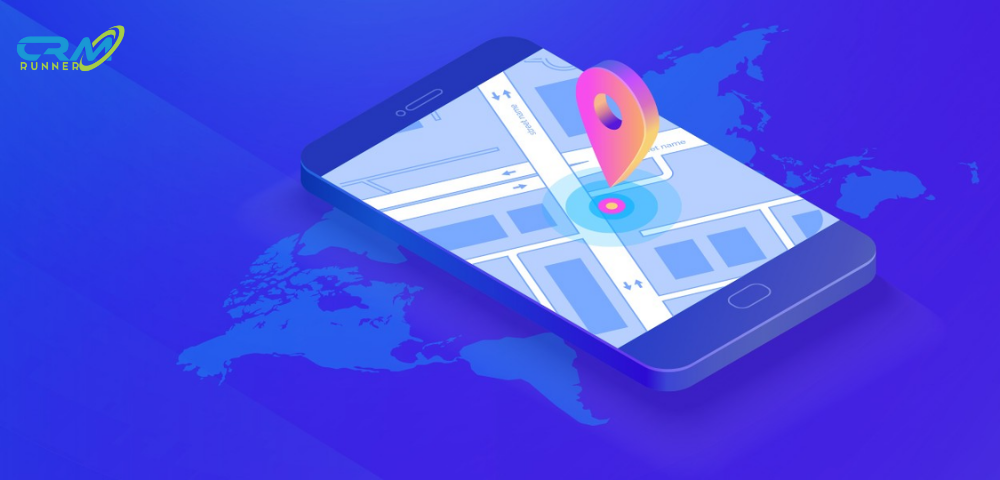
3 Benefits of Integrating GPS into CRM Software

A large sales team is allocated over a huge geographical area. They find leads, close deals, and even cold-calls sometimes. Keeping a record of such a huge team becomes difficult and traditional methods such as check-ins are time-consuming.

To make your work easy and keep track of each member of the team, you can use GPS tracking CRM software. It gives several benefits to you and your sales team.

Real-Time Data

Is your sales team effective? You can find it out by integrating GPS into CRM software. GPS not only informs you where your members are but provides you with much other information. It helps you to track the leads and clients your team members are connecting with, the follow-ups and also the sales that are closing. You can see the complete picture of your sales team working on the field while being at the office or home. GPS integration into CRM software allows you to access data in a centralized location. You can see the complete history of your business – leads, close-ups, meetings, etc. This software helps you to understand the complete picture of your business.

Manage Client Meetings

You will need to respond quickly when new leads enter your CRM software. In such a situation, knowing where each member of your sales team is placed will enable you to allocate leads to such a person. Let’s say, a lead wants to meet your member the same evening. You can quickly find out the closest member and instruct him to execute a meeting with the lead smoothly. If a lead wants a phone call, you can check the CRM software and find out which member is at the office or on a break so that you can assign the phone call to that person. With prompt responses, you can get more leads, more close-ups and satisfied customers.

Not Time-Consuming

Your team members do not have to find time to check into the office. CRM with GPS tracking allows each member to check in from their location automatically. The software always lets you know the current location of your member. Your team members can focus on their work effectively.

Crm Hvac Can Help You Track Your Business

Between the field and the office, the HVAC business is always on the go. The industry has operated in multiple locations and regions, regardless of the day and time.

To stay competitive, HVAC companies deal with many work orders, data, field professionals, finances, etc. Handling the organization manually exploits time and effort while introducing the possibility of mistakes. Adhering to a program that can resolve these issues and problems is the best solution.

By using CRM HVAC Software, businesses are able to manage all their functions in one place and build their businesses. Employee management is a difficult task to accomplish. Creating schedules, monitoring jobs, providing equipment, moving stocks, submitting field work orders, and so on, all while ensuring accurate paperwork and processing, all takes time.

As a field service provider, you need a reliable method for getting work done. You can streamline your service-based business’s operations by using a field management system.

GPS

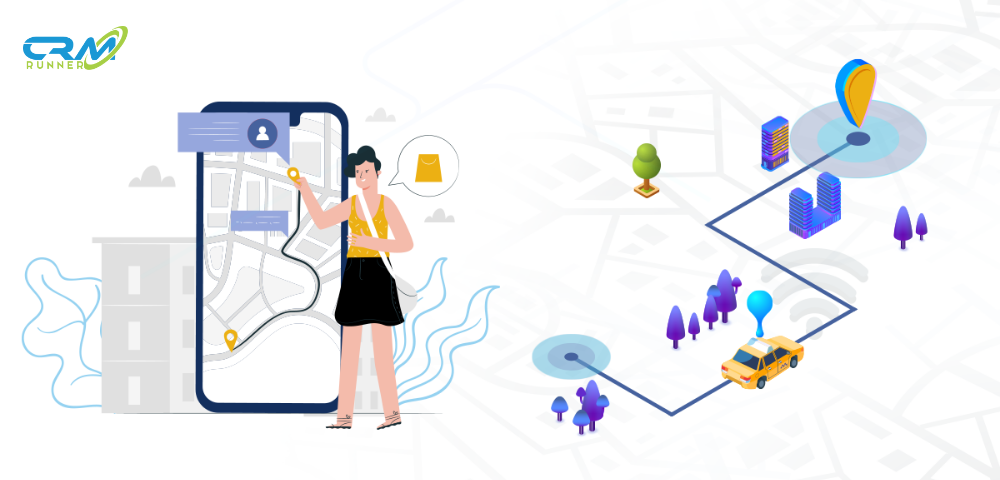
GPS integration is common among CRM HVAC Management Software. You can track and monitor your technicians in the field. Also, this feature can help field professionals find traffic-free routes, shorten routes and save fuel and time on their way to the field. Integrating GPS systems into the employee-employer relationship increases transparency and encourages honest dedication to the job. The customer can also see where the technician is on their way to the work site. This supports more productive work and more efficient field work.

Working hours:

CRM Runner promotes appropriate payments and precise stipends to their professionals based on their working hours, a feature not available on all HVAC software. Using time card integrations in the software, field professionals can input their check-in and check-out times before and after work.

When the working hour estimate is exceeded, this aids in increasing billable hours. All invoices that are approved by the customers include the tracked working hours. As a result, the authenticity of the organization is ensured and customers can be assured of the quality of the service they receive.

Progress:

One of the major concerns of any industry is ensuring the progress of the organization on all fronts. On a daily, weekly, and monthly basis, CRM HVAC business software provides updates about work orders, employee performance, and revenues. Businesses can monitor progress based on a variety of categories, including estimates, invoices, work orders: done, cancelled, paid, and ongoing, field updates, and other data related to their operations.

When using a one-stop field service and office management system – CRM Runner, your HVAC business management will be easier and faster. Schedules can be viewed every day, every week, and every month. You can also view, track and monitor a team’s schedule or an individual’s schedule or their performance. Predefined job statuses are also displayed.

CRM Runner makes field service management easier


Using Field Service CRM Software Offers 3 Great Benefits

One of the biggest challenges managers face is managing field services. With a paper-based field service management system, it is difficult to maintain records and data. To manage their fieldwork, most significant companies use field service software. Manage field service technicians’ tasks, track labor hours, and invoice customers with field service management software. To improve their productivity, many companies use business automation software and field service management software.

The blog discusses the benefits of field service CRM software for professionals.

Enhance potency

Traditionally, companies hired a separate group of employees to handle fieldwork. Every employee is paid a salary. With the help of field service CRM software, companies no longer need a person to handle that aspect of business. This helps increase revenue. Using field service CRM software, you can track field professionals’ movements in real-time. The software enables technicians to capture customer information.

By using dynamic field service CRM software like CRM Runner, professionals can receive work dispatches on their phones instantly. A notification will be sent to both the client and management team upon completion of the work order.

Reduce production costs

Field service CRM software helps companies reduce production costs and increase revenue, which is the primary goal of a business. Many companies hire several employees to monitor the employees’ activities, task scheduling, project distribution, and customer service processes. These functions are now carried out by a field service CRM software. Customers are then more satisfied, as the costs are reduced.

The field service CRM software allows managers to track employees even if they are out of the office in real-time, sharing the burden of employee tracking with the manager. As a result, they can focus on other important tasks, and projects are completed on time.

Improved customer service

Client complaints will be reduced if companies use field service CRM software. Customers will receive timely responses if companies use the software. Using their phones, customers can track and modify their work orders. Through their phones, companies can also assign tasks and track progress on projects to their technicians. Customers will receive their orders on time as a result of this. This way, your clients will be more satisfied with your work as a result of field service management.

Do you want to use such a field service CRM software to grow your business? Take a gallop through the world of CRM Runner – an end-to-end, one-stop solution for field service and office management.

Organize Your Business Schedules and Appointments Effectively with Field Management System

Managing business schedules is an everyday activity. Having unorganized schedules and appointments causes unnecessary delays, stress, and anxiety. You need to organize your business schedules and appointments when dealing with a field service business and moving between the field and your office.

Keeping track of your clients and projects helps you stay on track. Here are a few ways a field management system – CRM Runner – can help you organize your business schedules and appointments effectively.

Map out your priorities

By using a field management system, on-field members can be scheduled for the job. It ensures that all appointments, dispatches, and business schedules will not be missed. The field management system calendar sends reminders and notifications to both the customer and technician before the scheduled work order is scheduled. In this way, they can stay on schedule and complete the job in a timely manner. Drag and drop their work order and the assigned members onto the calendar to schedule.

Work orders and tasks are organized on a calendar with the help of the software. For a more comprehensive view of the schedules, it also provides different views such as group, individual, and status views. You can see all the field members’ schedules in the group view. In addition, you can view a technician’s schedule for the day, week, or month on the calendar. Work order status can also be viewed on the calendar.

Scheduling remotely

When you manage your business remotely and organize your schedules, you can save time and energy. You can switch to a paperless mode and stop running around offices, making calls, and making copies. Working online is efficient and convenient. Teams can be assigned, rescheduled and managed using the field service mobile app. Users can schedule and manage appointments no matter where they are. If you have a mobile app that allows you to access and modify your schedules from your phone, you don’t need an office or papers for schedule organization.

You can also send SMS reminders and notifications to your on-field staff about upcoming scheduled appointments and work orders. The calendar of the CRM Runner field management system is synced seamlessly.

Scheduling appointments to maximize time

Using a field service management system like CRM Runner, you can quickly reschedule or move appointments simply by dragging and dropping on the calendar. Customer appointments can often be cancelled or rescheduled according to customer convenience. Changes to the schedules of on-field employees on the calendar are easier to adhere to their system.

With field service software like CRM Runner, the business schedules can be viewed daily, weekly, and monthly. Also, you can view an employee’s schedule or the schedule of the whole team. The software also displays the predefined status of each job.

Manage your field service business more efficiently with CRM Runner.

Smarten Up Your Business’ Inventory Management with Inventory CRM Software

Businesses are all about making money. Regardless of your industry or role in a company, you want to find ways to accomplish goals. Approximately half of retailers use a perpetual inventory management strategy, and over half of businesses are using CRM solutions – and those numbers are increasing.

These two types of systems are becoming increasingly important for business success.

How will it be if you get an integrated inventory CRM Software? Yes, that will surely supercharge your business’ inventory management processes. See our CRM Runner inventory CRM Software.

Using CRM Runner, how can you manage your inventory?

  • The inventory can be categorized using different tabs at your convenience.
  • Allows you to set up a reorder reminder when a certain threshold has been reached.
  • Maintain inventory, non-inventory items, and service items.
  • Using RMA, you can accept returns, refunds, and exchanges.
  • Drag and drop the columns to alter the look.
  • As soon as items arrive at your warehouse from suppliers, the system automatically updates inventory stock.
  • Using CRM Runner, you can capture and verify all the information you need about products and services, including serial numbers, pictures, descriptions, prices, stock numbers, and more.
  • Use the search bar to find products by their names or descriptions.
  • SKU and serial numbers can be used to keep track of products.
  • Set the warranty on products or items.

Through our intuitive and inventory features, you can manage accurate stock levels at different locations, schedule timely procurement, store frequent stock transactions, and analyze stock movement patterns efficiently. CRM Runner also allows you to maintain product quality and manage threshold quantities of stock.

Want to see it in action? Try CRM Runner for free for 14 days and experience it!


CRM’s Role in Ecommerce Personalization

In today’s world, customer satisfaction is arguably the most important factor in determining a company’s success. Customer satisfaction is also vital when it comes to customer-driven businesses such as eCommerce. A customer’s experience can be tailored with CRM software, which will increase engagement and satisfaction for your customers. eCommerce personalization is a significant success factor for companies, and eCommerce personalization is an important aspect of eCommerce.

Here is a brief overview of the basics of eCommerce personalization and how it can benefit your business.

An overview of ecommerce personalization

The goal of ecommerce personalization is to provide customers with a personalized experience, which includes tailored content, offers, and recommendations based on the customer’s interests and needs.

The data analysis technology is crucial for eCommerce personalization, which enables businesses to gather information about a customer, including their interests, browsing behavior, and purchasing habits. Therefore, one of the most significant objectives eCommerce businesses wish to achieve through personalization is to provide relevant user recommendations and to increase the return on their marketing investments.

CRM (Customer Relationship Management) Software: Why You Need It

Brands must adapt to changing business rules on a regular basis. Businesses can use CRM software to identify their clients’ needs and requirements, as well as collect feedback. Business will not survive if it does not invest in CRM software. If your business cannot meet changing customer needs, your customers will begin to look for alternatives.

In order to meet business’ everyday workflow management needs and challenges, CRM Runner is presented with a comprehensive approach. Businesses can efficiently and automatically perform many jobs and get easy solutions to overcome the challenges of tracking leads, task scheduling, monitoring, and other day-to-day activities.

CRM Runner gives you a one-stop solution for field service and office management.

You can track, for example, the whereabouts of your field staff and assign them with nearby client meet assignments based on their time availability by using CRM Runner’s GPS Tracking feature that comes built-in with it.

CRM Runner also simplifies payroll by structuring employee data in a structured way, managing pay structures, payroll information, and generating payslips. It eliminates complicated, time-consuming and highly calculative processes when performed manually. CRM Runner offers built-in payroll for service providers CRM Software.

Want to get more details? See CRM Runner in action? Let’s connect!

Supercharge Your Business with CRM Runner Integration with Your Business

As customer expectations increase, businesses in every sector should focus on delivering a superior customer experience (CX).

How does field service management affect customer experience? The field service management landscape today is extremely complex. It can make the difference between great customer service that keeps your customers coming back for more and poor customer service that shrinks your customer base. Transforming to a services-based business model will require a technology-driven approach, so it’s imperative to approach any changes with all the information available.

Challenges in Field Service Management

Both customers and employees may suffer setbacks if field service management is not properly executed. Your customers can wait for long time, experience slow and inaccurate communication, need for return visits, and the likes.

With the implementation of CRM Runner, quick customer visit assignment on field on demand is possible. You can keep track of all employees, members, and contractors with the built-in GPS tracking in CRM.

Additionally, 

The system lets you track each team member’s real-time updates as well as perform tasks and manage your team efficiently. With just one click, you can access all your leads, deals, and distributors on the map. CRM Runner provides real-time movement maps of every sales representative deployed on the field through its GPS tracking CRM Software .

Want to see it in action? Try CRM Runner for free for 14 days and experience it!

CRM Software with Built-In Chat Feature: How Does It Help a Business?

Nowadays, customer satisfaction is a critical factor for the success of any business. With the rapid growth of industries and businesses around the world, people have more options than ever before to meet their needs. Therefore, an integrated live chat feature in a CRM will be helpful for any business that wants to gain and retain customers.

Live chat support for customers seems to offer immense benefits when integrated with CRM (Customer Relationship Management). In addition to providing customer satisfaction, a chat feature built-in CRM Software also promotes long-term customer loyalty, as 63% of customers are more likely to revisit websites that offer live chat.

Chat feature built-in CRM Software engages and is an enabler for chatting with your team members in real-time!

Look at CRM Runner that comes as a chat feature built-in CRM Software, facilitating its users to keep their teams connected in order to boost productivity. With this integration, users can capture entire website chat sessions in addition to:

  • Listing all employees for contact
  • Using chat windows, you can communicate with employees quickly and easily
  • Keeps both employers and employees informed within the system through instant messaging
  • Integrates seamlessly with existing systems.
  • Keep a record of previous conversations with easy access to saved messages.
  • Make your status offline/online to let colleagues know you are available.
  • Employees/team members can be grouped on a designated team member page.
  • Automate responses to ensure quality.
  • Routing advanced chats to the right team member leads to increased conversion resulting from advanced chat routing

Finally,

A chat feature built-in CRM Software for your business will ensure that you don’t appear as a faceless business to your team and that will help in bonding teamwork, monitoring team performance and improving team achievement.

Need a CRM that comes integrated with a chat feature? Try CRM Runner for free for 14 days and experience it!

CRM: How Does It Improve a Business’ Sales Process?

There has been a stagnation in your sales? Just recently your business grew and expanded? What is stopping you?

Your sales process and the fact that you haven’t yet implemented a customer relationship management (CRM) system could be to blame.

Need a CRM? Try CRM Runner for free for 14 days!

Not only does a CRM streamline your sales process, but it also benefits your sales team. You can gain a greater understanding of your sales data with a customer relationship management system, as well as increase revenue for your company.

CRM Benefits for Sales Reps

Your sales team can be more productive and effective by using customer relationship management systems. Some of the advantages of a CRM for your sales team are as follows:

  • Reduces and automates routine data entry to save your sales reps’ time and energy
  • It allows sales managers and salespeople to keep track of their performance and quotas more accurately
  • It allows managers to track each sales representative’s progress more easily
  • Maintains the sales team in the event of a departure
  • Enhances the visibility and accessibility of customer information
  • Encourages friendly, healthy competition among salespeople
  • Creates smoother transitions by tracking sales funnels
  • Finds the right customers for your team
  • Boosts employee productivity

In what ways does a CRM improve the sales process as a whole?

Not only do customer relationship management systems benefit your sales team, but they also have benefits for your sales process as a whole.

  1. Maintains a record of the sales process

Your sales team struggles to stay on the same page when your sales process is scattered throughout multiple documents and databases. New salespeople also find it difficult to get up to speed when the sales process, policies, and activities are unclear or hard to locate. Furthermore, when someone leaves your sales team, the team’s productivity will be affected.

All these documents can be centralized in a customer relationship management system, so that they are readily accessible by the entire sales team. CRMs boost team productivity by enabling everyone to access and understand the sales process, which in turn improves customer service and revenue for the company.

What is the best CRM for small businesses? See all features built-in CRM Runner to meet your day-to-day business operation needs.

  1. Develops repeatable processes

CRM systems enable your sales team to follow a unified, repeatable sales process. This also ensures consistency between salespeople. A lack of standardization would lead to confusion and inconsistency. A CRM streamlines and unifies your company’s sales process.

  1. Provides better customer service

Your sales team can access each customer’s history using a customer relationship management system. The sales people will be better equipped to share the right sales messaging to the customer or lead at the right time if they have information about them before they converse with them. Successful sales will result from such interactions.

You can create custom fields in a SaaS CRM Software where members of the sales team can leave notes and observations for the members of the sales team who will interact with those leads.

  1. Optimize your entire sales funnel

Sales funnels are visual representations of the steps involved in selling your product or service. In addition to showing how many open deals you have, what stage they are in, what support you need, and if you can reach your targets, it shows what open deals you have.

CRM Runner streamlines your sales process with its sales funnel. Group your leads according to their characteristics. It shows you who needs to be followed up with, who has agreed to buy, and who has already sent you their money. The CRM Runner then automatically creates a sales report to inform you which part of your funnel needs to be improved.

Do you feel you also need a CRM that can help minimize friction between sales and service and optimize your sales processes? Check out features of CRM Runner that are all designed to meet your everyday business operation needs or talk to us.

CRM Runner Reduces Sales Process Friction

Increase efficiency and effectiveness in your organization’s sales process? If you browse the built-in features of one of the best CRM Solutions, i.e. CRM Runner, you’ll be confident you can navigate through those frictions businesses tend to face.

In addition to helping teams streamline sales processes, CRM Runner lets them manage contacts, schedule meetings, track deals, send emails, look at reporting metrics, and more. An integrated CRM platform like CRM Runner comes with a variety of tools and features to help your business grow. An integrated CRM platform – CRM Runner – comes with a variety of tools and features to help your business grow.

Why Should You Use a CRM?

Customer relationship management can benefit many types of businesses. For B2B companies and companies that buy B2C products, using a CRM is especially beneficial when long sales cycles are involved and tracking leads is a priority. Some businesses will not benefit from a CRM. Take a moment to consider what issues and challenges a CRM can solve for your company if you are not sure a CRM is the right fit. It may make more sense to not use a CRM when the issues are not important and not worth the investment.

Among the questions you may ask yourself about whether or not you should use a CRM are:

  • Want to keep track of your customers and leads in one place? Is your customer list spread out across different locations and is it hard to keep up with?
  • How many members of your sales and marketing teams do your customers interact with?
  • Is there a process in place for documenting the productivity of your sales team?

It is likely that a CRM would be a good choice for you if one or more of the above questions apply to you.

If You Need a CRM, When Should You Switch?

What is the best time to begin implementing a customer relationship management system in your business? As soon as possible? Later?

It is best to start using a CRM as soon as possible. In many businesses, a customer relationship management system isn’t implemented until something goes wrong in the sales process. Following are a few scenarios that can indicate when using a CRM is the right time:

  • Spreadsheets make data management difficult
  • When an employee leaves, data is lost
  • Your sales team is slowed down by so many places where your data is kept

Final Words

Your sales team can benefit from a CRM Software Service Management. Companies can retain customers and increase sales productivity and revenue with greater access to customer information, a centralized location for documents, and better customer service.

Need a CRM? Try CRM Runner for free for 14 days!

Why You Need Employee Shift Management CRM Software

With the mobile workforce landscape continuing to evolve, businesses in all types of industries are hiring employees for specific tasks during specific times. People who work shifts are called shift workers, and they are an important part of organizations with a deskless workforce. Shift work gives employees’ consistency throughout the day while serving the needs of your customers, but managing shift workers poses unique challenges.

A deskless and fixed-location workforce can complicate the process. Intelligent tools are needed to manage a blended workforce effectively.

Employee shift management CRM Software can help here. By building and maintaining the right shift workforce, you can meet—and perhaps surpass—your business goals.

Shift Management: The Challenges

It is a time-consuming and expensive process to plan complex schedules for deskless workers. Staff schedulers face even more challenges when they have to use manual tools and processes to deal with such a huge process. Some of these challenges include:

Limited ability to handle exceptions

If everything were perfect, you wouldn’t have sick days for your shift workers. But shift workers are just like everyone else prone to unforeseen circumstances. Trying to find a qualified replacement for a worker who is unavailable unexpectedly can be difficult.

Poor visibility of the workforce

With a team of deskless and fixed-location shift workers, keeping track of everyone around the clock can be challenging. Your shift workers may not know how long they’ve been on the job, where they’re located, or which customers, clients, or patients they’re serving.

Forecasting errors 

Shift scheduling and rostering are both successful if forecasting is done correctly. When you schedule too many or too few workers for different shifts, you can seriously affect your bottom line. In the absence of reliable historical data, it’s difficult to predict how many employees you’ll need at each shift.

Using manual or traditional methods makes it nearly impossible to accurately plan ahead because they don’t provide in-depth data collection and analysis. Overscheduling results in excessive spending on staff without corresponding revenue, and under-scheduling leads to delays, burnout, and frustration among staff that can bleed into the customer experience.

Using Employee Shift Management CRM Software to Optimize Scheduling and Rostering

It is fortunately possible to address common challenges and take some of the guesswork out of managing your deskless workers with the use of shift and rostering management tools.

Scheduling and dispatching are made easier

Schedules and dispatches are handled manually, which results in inefficiencies and burnout. It is crucial that schedulers stay on top of the ever-changing schedules of multiple shift workers and keep track of updates, delays, requests for time off, and other changes.

Errors in scheduling are reduced

If a schedule is compiled from multiple sources, such as calendars, emails, and spreadsheets, errors are more likely to occur. If a schedule is compiled from multiple sources, such as calendars, emails, and spreadsheets, errors are more likely to occur. This risk is reduced by employee shift management CRM Software since it stores all the information you need securely and integrates it into a single interface.

Accessibility and communication are improved

By having a shift management system, you can ensure that both deskless and fixed-location shift workers have access to the latest schedules, updates, and optimized routes.

With the ability to view and share updates from anywhere via desktop, laptop, tablet, or smartphone, workers can reduce time spent calling or emailing staff schedulers about issues or changes. So that no one misses a beat, workers can use cloud-based employee shift management CRM Software with internet connectivity.

Businesses tend to face proper scheduling and rostering challenges, and many other day-to-day activities. CRM Runner is your one-stop solution for field service and office management, with a built-in robust employee shift management feature.

Type of Businesses which use CRM Software

Searching for Client database software for small businesses? Are you confused if your business needs CRM software or not?  Then this article has all your required answers. If your business is involved or interested in any of the activities stated below then you can eye closed opt for CRM Software without worrying about anything.

What type of businesses use CRM Software?

There are numerous types of businesses that use it to Manage day-to-day operation CRM Software due to multiple reasons. Some of them have been shortlisted and mentioned in this article. They are :

  1. Businesses with the sales teams

To start with, CRM software can greatly benefit the sales team by identifying the trend in customers’ behavior and contacting them the next time accordingly. It can help them understand what they prefer and what they don’t. Thus it helps them sell their products to the concerned customer. It also helps them to keep a watch and track of the date to day activities.

  1. Quotes and invoice creating businesses

Businesses creating quotes and invoices can be highly beneficial by having an inbuilt invoicing facility in the CRM software they use. It helps to speed up the quality as well as the invoice process. Businesses that use a single software that gets all its functions done in only one software, in turn, helps to increase the productivity of the concerned company drastically.

  1.  Businesses that are willing to increase their efficiency

Using just one CRM software for all the work saves a great amount of time every day. An efficient CRM software increases efficiency in many areas of Work. CRM Software can be of great help for any scale of business whether it’s small scale or large scale to significantly cut down on their costs or maximize their database.

However it is also notable that there is no specific type of business that uses CRM Software, there can be classifications.

Conclusion

Swipe & go CRM Software today. Almost all the businesses in today’s world use CRM Software. So don’t worry about whether CRM software is the choice for you or not. You can undoubtedly trust and opt for CRM Software for your business.

Categories

Sign up for Fresh Content