Boost Your Business Growth with Sales & Marketing CRM Software

In today’s fast-paced business world, staying ahead of the competition requires more than just great products or services — it requires strong relationships with customers and an efficient way to manage sales and marketing efforts. That’s where Sales & Marketing CRM software comes into play.

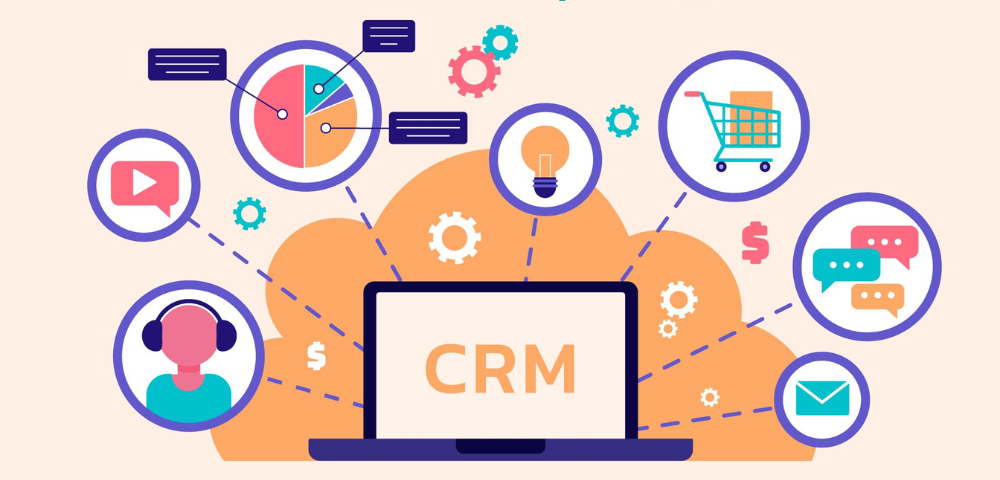
CRM stands for Customer Relationship Management, and it’s much more than a contact database. A Sales & Marketing CRM integrates key business functions to streamline communication, improve customer service, and boost conversions. Whether you’re a small business or a growing enterprise, the right CRM system can be a game-changer.

What is Sales & Marketing CRM Software?

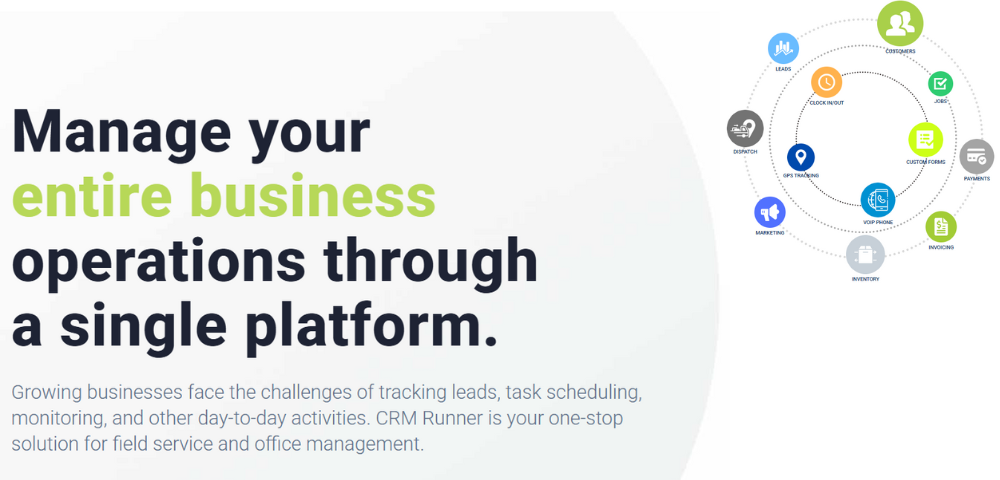
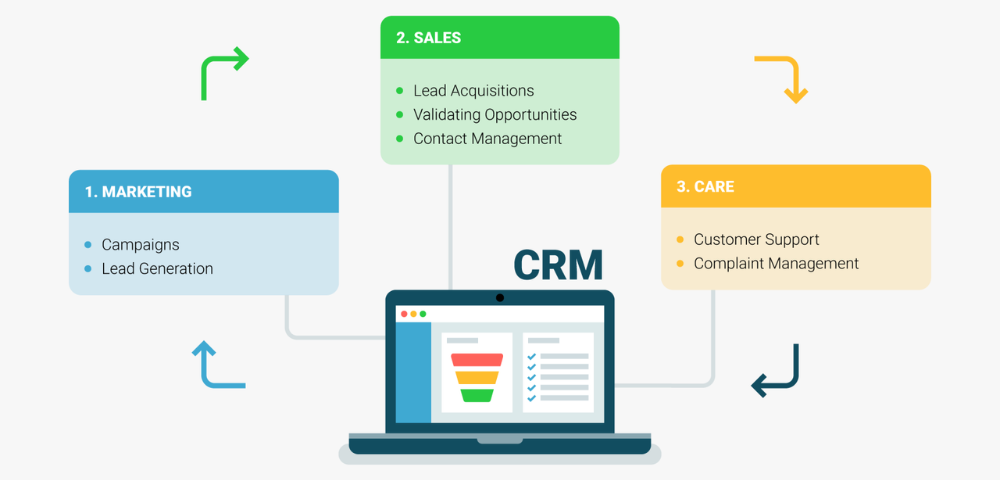
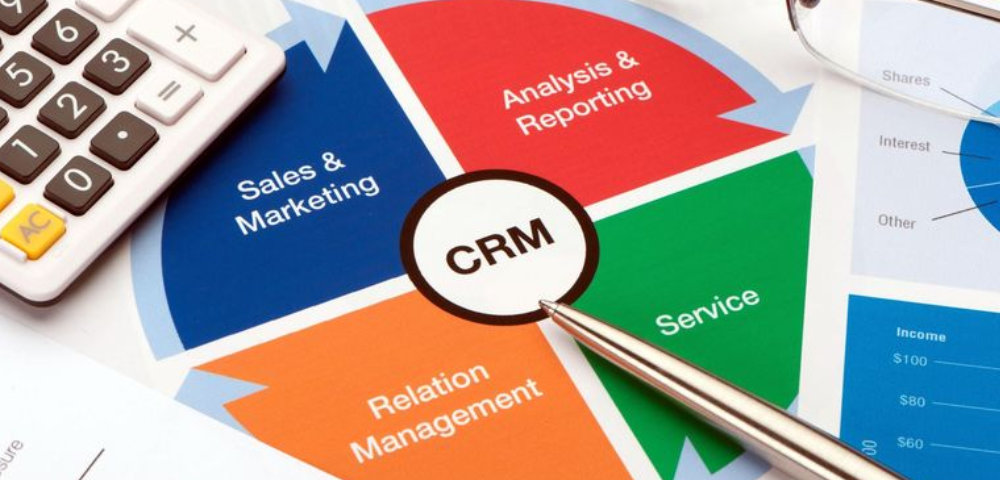
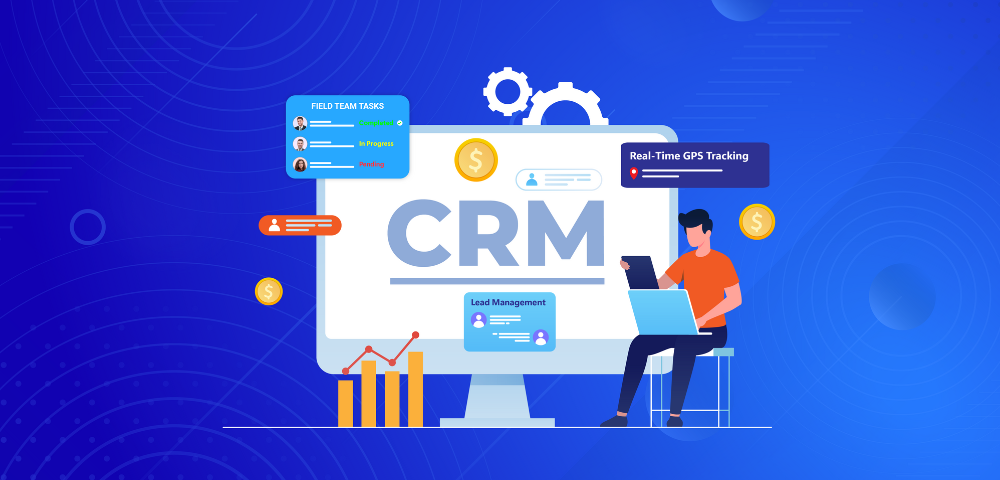
Sales & Marketing CRM software is a digital tool that helps businesses manage interactions with current and potential customers. It combines sales pipeline management, marketing automation, customer data tracking, and analytics into a single platform.

Instead of juggling spreadsheets, emails, and scattered notes, your entire team can work from one system — tracking leads, scheduling follow-ups, managing campaigns, and analyzing results.

Key Features of a Sales & Marketing CRM

  1. Lead Management
    Track every lead from the first point of contact to closing the deal. Assign leads to your sales team, set priorities, and ensure no opportunity slips through the cracks.

  2. Marketing Automation
    Automate repetitive tasks like email campaigns, follow-ups, and social media posting. Create segmented lists to target the right audience with the right message.

  3. Contact Management
    Store detailed customer information, communication history, and purchase behavior in one place. This helps your team deliver personalized service and timely responses.

  4. Sales Pipeline Tracking
    Visualize your sales funnel to monitor prospects, forecast revenue, and identify bottlenecks in the process.

  5. Analytics & Reporting
    Generate real-time reports on campaign performance, team productivity, and customer engagement — helping you make data-driven decisions.

Why Your Business Needs It

  • Increased Efficiency: Automating tasks and organizing data frees up your team to focus on selling and nurturing leads.

  • Improved Customer Relationships: Access to full customer histories means more personalized service and better communication.

  • Better Team Collaboration: A central platform ensures your marketing and sales teams are aligned and working towards the same goals.

  • Data-Driven Strategy: With insights and analytics, you can refine your sales approach and marketing campaigns for better results.

Choosing the Right CRM Software

When selecting a CRM, look for one that fits your business size, industry, and specific needs. Popular CRM Software Like CRM Runner

Key things to consider include:
✔️ Ease of use
✔️ Integration with other tools
✔️ Customization options
✔️ Mobile access
✔️ Support and training availability

In a digital age where customer expectations are higher than ever, a Sales & Marketing CRM isn’t a luxury — it’s a necessity. It empowers businesses to build stronger relationships, close more deals, and grow faster. If you haven’t already implemented one, now is the time to explore your options and invest in the future of your business.

Enhance Data Integrity and Security with Permissions-Based CRM Software

In today’s data-driven business landscape, maintaining the security and integrity of customer information is not just a best practice—it’s a necessity. With rising threats of cyberattacks, internal data mishandling, and increasing regulatory requirements like GDPR and CCPA, businesses must adopt smarter tools to protect their data. One of the most effective ways to achieve this is by leveraging permissions-based CRM (Customer Relationship Management) software.

What is Permissions-Based CRM Software?

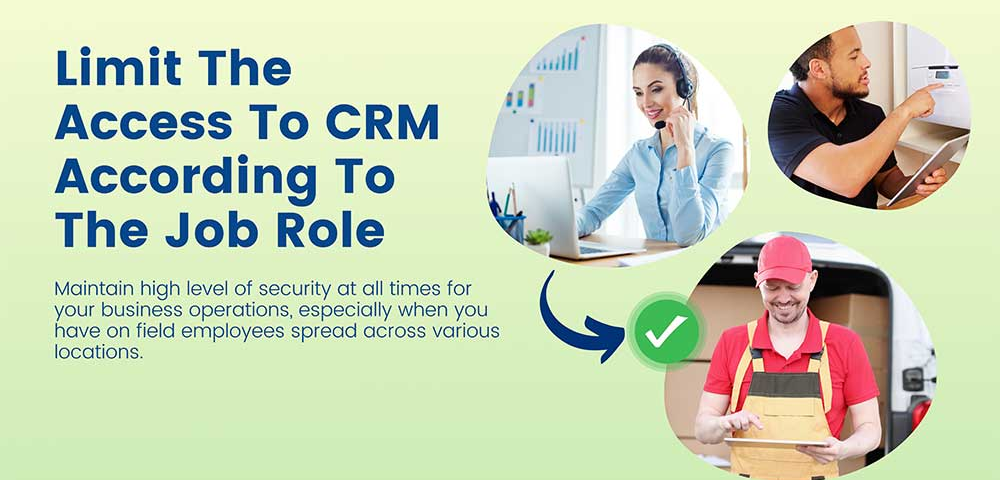
Permissions-based CRM software allows organizations to control access to sensitive customer data by assigning specific roles and permissions to users within the system. This means that not every employee has the same level of access to all data. Instead, access is granted based on job roles, responsibilities, and the principle of least privilege.

For example, a sales representative might only access leads and opportunities, while a finance officer can view billing and payment information. This segmentation minimizes the risk of unauthorized access and accidental data exposure.

Why Data Integrity and Security Matter

Data integrity refers to the accuracy and consistency of data over its lifecycle. Compromised data—whether from human error, system failure, or malicious intent—can lead to flawed decision-making, lost revenue, and damaged customer trust.

Data security, on the other hand, focuses on protecting data from unauthorized access, breaches, or leaks. With cyber threats becoming more sophisticated, relying on basic security measures is no longer sufficient.

A permissions-based CRM enhances both by ensuring the right people access the right data, at the right time—and no more.

Key Benefits of Permissions-Based CRM Software

  1. Reduced Risk of Data Breaches
    By restricting access, companies significantly lower the chance of internal data leaks or accidental sharing of sensitive information.

  2. Improved Compliance
    With audit trails and user activity logs, permissions-based CRMs make it easier to demonstrate compliance with data protection regulations.

  3. Increased Accountability
    Knowing that actions are traceable to specific users creates a culture of responsibility and reduces the risk of negligent behavior.

  4. Customizable Access Levels
    Organizations can tailor access based on departments, projects, or user roles—providing flexibility without compromising security.

  5. Better Data Quality
    Limiting who can edit or delete data helps maintain consistency, reduces duplication, and ensures only authorized personnel make changes.

Choosing the Right CRM

When selecting a CRM with robust permissions controls, look for features such as:

  • Role-based access control (RBAC)

  • Multi-factor authentication (MFA)

  • Detailed audit logs

  • Granular permission settings (e.g., view-only, edit, delete)

  • Integration with security protocols (SSO, encryption)

Popular CRM platforms like Salesforce, HubSpot, and Zoho offer advanced permission settings, but it’s crucial to configure them properly during implementation and review them regularly.

Data is one of your business’s most valuable assets. Protecting it requires more than firewalls and antivirus software—it demands a strategic approach to access control. Permissions-based CRM software offers a practical, effective way to enhance data integrity and security while empowering teams to do their jobs efficiently.

By implementing the right CRM tools with strong permission structures, you not only safeguard your customer data but also build trust, ensure compliance, and support smarter, more secure business operations.

Streamline Your Business: Why Investing in Inventory, Barcode & CRM Software is a Game-Changer

In today’s competitive business environment, efficiency is everything. Whether you’re managing a retail store, an e-commerce platform, or a wholesale distribution business, having the right tools to streamline your operations is essential. One of the most effective ways to do this is by investing in integrated Inventory, Barcode, and CRM (Customer Relationship Management) software.

What Is Inventory, Barcode & CRM Software?

Inventory, Barcode, and CRM software combines three essential business management tools into one cohesive system:

  • Inventory Management helps track stock levels, manage orders, monitor inventory turnover, and prevent overstocking or stockouts.

  • Barcode Scanning allows for quick and accurate product tracking, improving checkout speed, warehouse operations, and stock auditing.

  • CRM Systems store and manage customer information, interactions, and sales history, helping improve customer service and drive repeat business.

When these three tools are integrated into a single software solution, they create a powerful ecosystem that improves efficiency, accuracy, and customer satisfaction.

Benefits of an Integrated System

  1. Real-Time Inventory Tracking
    With real-time updates, you always know what’s in stock, what’s running low, and what needs to be reordered. This reduces human error and minimizes costly inventory issues.

  2. Faster Operations with Barcodes
    Barcode scanning automates data entry, reduces errors, and speeds up processes like order fulfillment, shipping, and inventory counts. This is especially valuable for businesses with large product catalogs.

  3. Improved Customer Relationships
    A built-in CRM enables you to track every customer interaction, purchase history, and preferences. This allows you to personalize your communication, manage sales leads effectively, and provide better customer service.

  4. Centralized Data
    No more switching between different systems to get the information you need. An all-in-one solution puts everything at your fingertips—from sales and stock levels to customer interactions.

  5. Scalability
    As your business grows, an integrated solution can scale with you. Whether you’re adding more products, opening new locations, or expanding your customer base, the software supports your growth.

What to Look for When Purchasing

When choosing inventory, barcode, and CRM software, consider these key features:

  • Cloud-based access for flexibility and remote management

  • Integration with your POS or e-commerce platform

  • Real-time reporting and analytics

  • User-friendly interface and strong customer support

  • Customization options to fit your specific business needs

Popular solutions in the market include Zoho Inventory, TradeGecko (now QuickBooks Commerce), NetSuite, and Lightspeed, among others. Your choice will depend on your business size, budget, and specific workflow requirements.

Investing in the right inventory, barcode, and CRM software isn’t just a smart move—it’s essential for sustainable growth. It helps you save time, reduce errors, serve customers better, and make informed decisions. If you’re still managing your inventory manually or juggling multiple disconnected systems, now is the time to upgrade.

The right technology can transform the way you do business. Choose wisely, and watch your operations become more efficient, productive, and profitable.

Streamlining Financial Operations: The Power of Finance and Accounting CRM Software

In today’s competitive business landscape, companies are under increasing pressure to deliver faster, more accurate, and customer-centric financial services. This is where Finance and Accounting CRM (Customer Relationship Management) software steps in. Traditionally viewed as tools for sales and marketing, CRM systems have evolved into powerful platforms that can manage financial processes, improve client communication, and increase operational efficiency.

What is Finance and Accounting CRM Software?

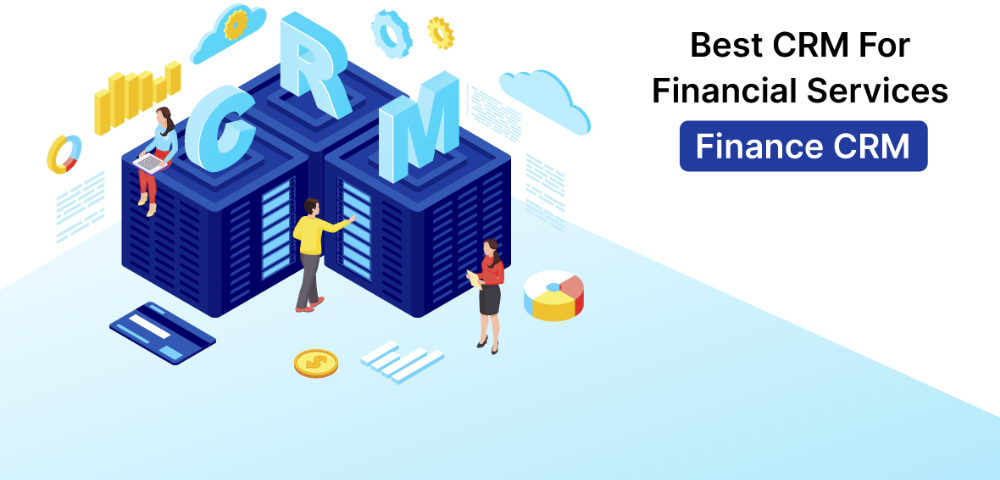
Finance and Accounting CRM software is a specialized system that combines the functionalities of financial management tools with the client-focused features of traditional CRMs. It helps finance professionals manage client interactions while simultaneously tracking invoicing, billing, payment histories, and financial reporting. This integrated approach ensures that customer data and financial information are always aligned and up to date.

Key Features and Benefits

One of the standout features of a Finance and Accounting CRM is automated invoicing and billing. Rather than juggling spreadsheets or separate accounting systems, users can generate invoices directly from the CRM, link them to customer records, and send them with minimal effort. This not only reduces administrative burden but also minimizes human error.

Another benefit is centralized financial data. With all client financial histories in one place, accountants and finance teams can easily track overdue payments, set reminders, and follow up with clients. This improves cash flow and strengthens client relationships by ensuring no payment issues slip through the cracks.

CRM software also provides detailed financial reporting and analytics. Businesses can generate real-time reports on revenue, client profitability, outstanding receivables, and more. These insights are crucial for making informed decisions and forecasting future growth.

Enhancing Customer Relationships

Finance and Accounting CRM software doesn’t just focus on numbers—it strengthens client engagement. By keeping a comprehensive history of communications, contracts, and transactions, finance teams can offer more personalized service. For example, knowing a client’s past billing preferences or communication style can make interactions more efficient and client-friendly.

Moreover, automated reminders and follow-ups reduce the need for manual outreach, allowing teams to focus on strategic tasks while ensuring clients are kept in the loop about upcoming payments, renewals, or financial updates.

Integration with Existing Tools

Modern Finance CRMs are designed to integrate seamlessly with existing accounting software like QuickBooks, Xero, or FreshBooks. This means companies can enjoy the benefits of a CRM without abandoning the systems they already use. Integration ensures that data flows smoothly between platforms, reducing duplication and improving accuracy.

As financial operations become increasingly complex, relying on traditional tools and disconnected systems is no longer sustainable. Finance and Accounting CRM software offers an intelligent, centralized solution that improves financial management while strengthening client relationships. Whether you’re a small accounting firm or a large finance department, adopting a CRM tailored to your industry can significantly enhance productivity, compliance, and customer satisfaction.

How Multi-Location Employee Tracking CRM Software Boosts Productivity and Accountability

In today’s fast-paced, hybrid, and remote-friendly work environment, businesses with multiple locations face a common challenge: how to effectively track and manage employee activity across different sites. Whether you operate retail stores, field service teams, warehouses, or regional offices, staying on top of employee performance, communication, and accountability can be tough.

That’s where Multi-Location Employee Tracking CRM Software comes in—a modern solution that blends workforce management and customer relationship tools into one centralized platform.

What Is Multi-Location Employee Tracking CRM Software?

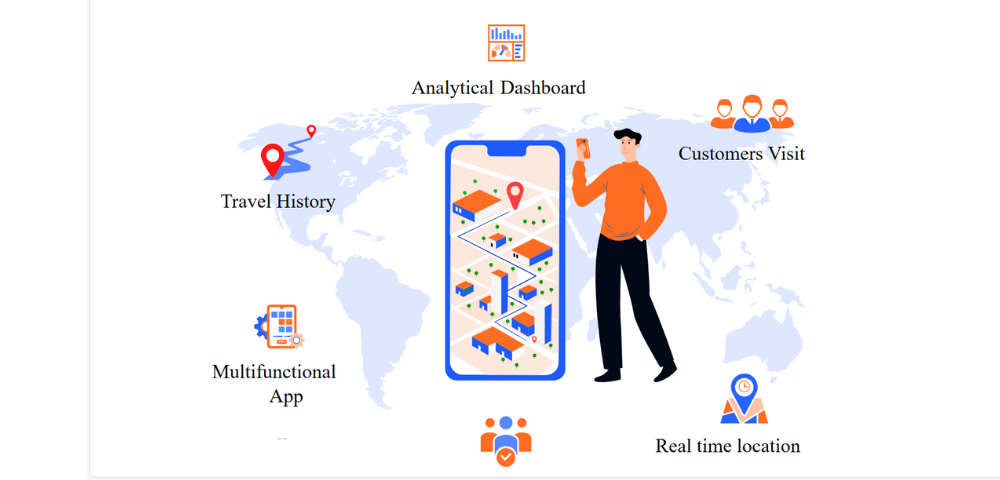
At its core, this type of software is a Customer Relationship Management (CRM) system enhanced with features to monitor, coordinate, and manage employees across various locations. It allows managers to view employee check-ins, tasks, performance metrics, client interactions, and location data—all in real-time.

The result? More visibility, more control, and ultimately, more productivity.

Key Features That Make It a Must-Have

  1. Real-Time Location Tracking
    Using GPS-enabled tools or mobile apps, managers can see where their employees are during work hours. This is particularly valuable for field sales reps, service technicians, or remote teams. It promotes transparency and reduces the chances of time theft or inefficiency.

  2. Task and Activity Monitoring
    Employees can log their daily activities, update task statuses, and submit reports from any location. Managers get a birds-eye view of what’s happening on the ground without having to be physically present.

  3. Automated Check-Ins and Timesheets
    The software can automate employee check-ins and check-outs based on location or time, making attendance management seamless and error-free across all branches or offices.

  4. Integrated Communication Tools
    Teams across different locations can communicate, share documents, and update client information in real-time—ensuring nothing falls through the cracks.

  5. Performance Analytics
    Track performance KPIs like task completion rates, customer follow-ups, sales figures, and service response times per employee, per location. These insights help in better training, resource allocation, and employee recognition.

Why Businesses Need It

If you’re managing teams in multiple locations, you already know how difficult it can be to maintain consistent productivity, customer experience, and internal communication. Here’s how a multi-location employee tracking CRM solves that:

  • Enhanced Accountability: Employees are more responsible when they know their activities are visible and tracked in a fair and transparent system.

  • Optimized Workforce Management: Managers can make informed decisions about staffing needs, shift rotations, or performance improvement.

  • Better Customer Experience: Clients receive faster service, timely follow-ups, and consistent communication—regardless of which location they’re dealing with.

  • Centralized Data Access: No more digging through spreadsheets or juggling separate systems for HR and customer tracking. Everything lives in one place.

Who Can Benefit?

  • Retail Chains

  • Logistics & Delivery Companies

  • Field Service Providers

  • Real Estate Agencies

  • Healthcare Providers with Multiple Clinics

  • Construction & Project Management Firms

The modern workforce is mobile, distributed, and fast-moving. Multi-Location Employee Tracking CRM Software gives businesses the tools to stay agile, data-driven, and connected. By integrating employee oversight with customer management, companies can drive operational efficiency while delivering a consistent customer experience across all locations.

If you’re managing employees across multiple sites, now is the time to streamline your operations with a CRM that does more than just track customers—it tracks performance, fosters accountability, and fuels growth.

Why Asset Management CRM Software is a Game-Changer for Modern Businesses

In today’s data-driven business environment, managing customer relationships and physical or digital assets has become increasingly complex. Companies need tools that can not only organize customer data but also track, maintain, and optimize assets in real-time. This is where Asset Management CRM (Customer Relationship Management) Software steps in as a powerful solution that combines the best of both worlds.

What is Asset Management CRM Software?

Asset Management CRM software is a hybrid platform that integrates traditional CRM features—like contact management, sales tracking, and customer communication—with tools to manage company assets such as equipment, IT infrastructure, real estate, and even digital licenses. This dual-purpose system enables businesses to align customer interactions with the operational logistics of asset usage and performance.

Key Features and Benefits

  1. Unified Customer and Asset Data
    One of the biggest advantages of asset management CRM software is the centralization of data. Companies no longer need to switch between multiple platforms to access customer records and asset details. Whether it’s a salesperson checking asset availability or a technician updating maintenance records, all stakeholders access the same data in real time.

  2. Enhanced Customer Service
    By having detailed asset histories linked to specific customers, service teams can respond faster and more accurately. For example, a support team can quickly identify which model or version of a product a client owns and offer tailored troubleshooting.

  3. Preventive Maintenance and Alerts
    Asset management CRMs often come with automated alerts and service schedules. This helps businesses prevent costly downtime by ensuring maintenance is performed regularly, improving the longevity and efficiency of assets.

  4. Improved Decision-Making
    With built-in analytics, businesses can track asset performance, depreciation, usage trends, and customer interactions. This insight supports better decision-making in terms of asset allocation, upgrades, or replacements.

  5. Regulatory Compliance
    For industries like healthcare, manufacturing, and finance, compliance is non-negotiable. Asset management CRM tools can help ensure that all assets are documented, maintained, and tracked in accordance with industry standards and regulations.

Who Needs Asset Management CRM?

While any company with valuable assets can benefit, this type of software is especially useful for:

  • IT Service Providers managing devices, licenses, and support tickets.

  • Construction Firms tracking equipment usage and servicing.

  • Healthcare Facilities monitoring medical equipment and patient interactions.

  • Real Estate Firms managing properties and tenant relationships.

  • Manufacturers who need to track machinery, production lines, and client orders.

As businesses continue to evolve, integrating tools that provide both customer relationship management and asset tracking is becoming not just beneficial—but essential. Asset management CRM software fills a critical gap by helping companies manage both their customer data and their operational resources from a single platform.

Investing in this kind of system can lead to higher productivity, better customer satisfaction, and smarter asset utilization. Whether you’re a growing startup or an established enterprise, now is the time to consider upgrading to an asset management CRM solution.

Why Field Management CRM Software is a Game-Changer for Service-Based Businesses

In today’s competitive and fast-paced service industry, managing a field team without the right tools can quickly become overwhelming. From tracking job progress and managing customer data to coordinating schedules and ensuring timely communication, the complexity grows as your team scales. That’s where Field Management CRM (Customer Relationship Management) software comes in — a powerful solution designed to streamline field operations and enhance customer experiences.

What is Field Management CRM Software?

Field Management CRM software combines traditional CRM capabilities with tools specifically built for businesses that operate in the field — such as HVAC, plumbing, electrical services, pest control, landscaping, cleaning, and more.

It goes beyond just managing customer relationships. It empowers businesses to:

  • Schedule and dispatch technicians
  • Track job status in real-time
  • Manage customer communications
  • Generate quotes and invoices on-site
  • Collect payments
  • Maintain service history and performance metrics

This all-in-one solution connects your office, field team, and customers through one centralized platform — often cloud-based and accessible via mobile devices.

Key Benefits of Field Management CRM Software

  1. Improved Scheduling & Dispatching

No more endless phone calls and paperwork. With drag-and-drop scheduling and GPS tracking, businesses can assign jobs based on technician availability, skill set, or location — improving efficiency and response times.

  1. Real-Time Communication

Field technicians can update job statuses, upload photos, and message back-office teams through the CRM app. This ensures everyone stays on the same page, reducing errors and delays.

  1. Enhanced Customer Experience

With all customer data in one place — including service history, preferences, and contact details — your team can provide personalized and timely service. Automated reminders, technician ETAs, and post-service follow-ups improve trust and satisfaction.

  1. On-the-Go Invoicing & Payments

Field techs can generate quotes, create invoices, and collect payments directly from the job site. This reduces admin time and improves cash flow.

  1. Data-Driven Insights

From job completion rates and technician performance to customer retention metrics, Field CRM software provides valuable insights that help improve decision-making and overall business growth.

Who Should Use It?

Any business that relies on a mobile or field service team can benefit from a Field Management CRM, including:

  • Home services (plumbing, HVAC, electrical)
  • Cleaning and janitorial companies
  • Construction and renovation businesses
  • IT field services
  • Facility maintenance providers

Whether you’re a small business trying to ditch spreadsheets or an enterprise aiming to optimize field operations, the right CRM can scale with your needs.

Field Management CRM software isn’t just a nice-to-have — it’s essential for businesses looking to grow, deliver exceptional service, and stay competitive in the digital age. By automating workflows, improving visibility, and connecting teams, it allows businesses to operate smarter, not harder.


Streamlining Operations: The Power of Field Management CRM Software

Managing a team of field agents, technicians, or service professionals can be a logistical challenge. From scheduling appointments to tracking customer interactions and job completions, field operations require constant coordination. That’s where Field Management CRM Software becomes a vital tool. It bridges the gap between your back office and on-the-ground teams, ensuring efficient workflows, real-time communication, and improved customer service.

What is Field Management CRM Software?

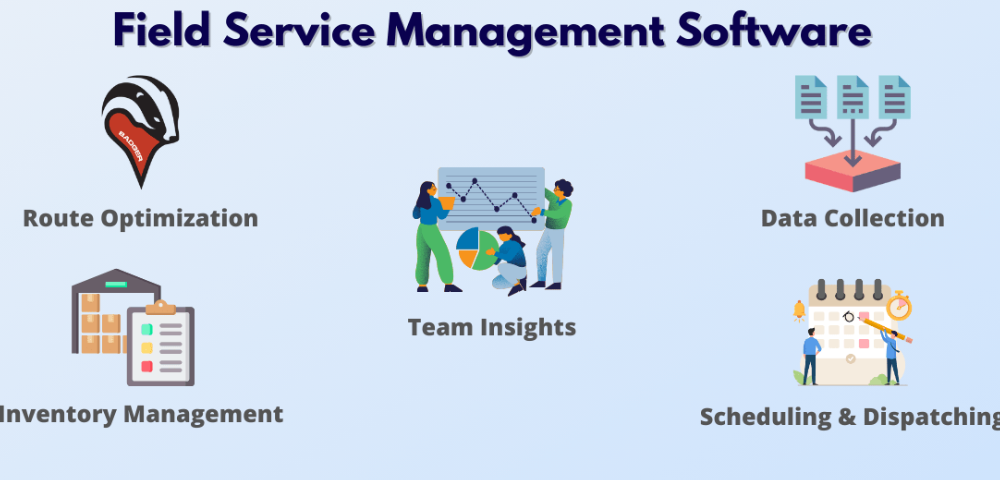
Field Management CRM (Customer Relationship Management) Software is a specialized platform designed to help businesses manage field service operations alongside customer relationships. It integrates features such as job scheduling, route optimization, task tracking, mobile access, and customer communication—all within a single dashboard.

This kind of CRM is especially beneficial for industries like HVAC, pest control, plumbing, home services, utilities, and telecom—anywhere teams work off-site and need constant coordination with headquarters.

Key Benefits of Field Management CRM Software

1. Real-Time Job Scheduling & Dispatching
One of the most important features of field CRM software is intelligent scheduling. Managers can assign tasks to the right technician based on availability, location, and skillset. With real-time updates, field agents get notified instantly, reducing downtime and increasing service speed.

2. Mobile Access for Field Agents
Modern CRMs are cloud-based and mobile-friendly, allowing field workers to view their schedules, update job statuses, access customer information, and collect digital signatures directly from their smartphones or tablets. This reduces paperwork and improves accuracy.

3. Enhanced Customer Experience
With access to detailed customer histories, field agents can provide personalized service. Automated reminders, real-time status updates, and post-service feedback forms also keep customers in the loop, boosting satisfaction and retention.

4. Improved Communication
Field CRM software connects your office team with field agents through instant messaging and real-time notifications. This minimizes miscommunication, ensures tasks are completed as planned, and allows quick adjustments when necessary.

5. Performance Tracking and Reporting
Managers can monitor technician performance, job completion rates, customer feedback, and more. These analytics help in identifying areas for improvement, managing workloads, and making data-driven business decisions.

Why It Matters

Without a centralized system, businesses risk mismanaged schedules, missed appointments, delayed communication, and unhappy customers. Field Management CRM Software automates routine tasks and provides a clear overview of ongoing operations—saving time and increasing productivity.

It also ensures that all data—from job details to billing—is captured accurately and stored securely, reducing errors and ensuring compliance with industry standards.

Choosing the Right Solution

When selecting a field CRM, look for features like:

  • Easy integration with your existing tools (e.g., accounting software)

  • GPS tracking and route optimization

  • Offline access capabilities

  • Automated invoicing and payments

  • Scalability as your business grows

CRM Runner offering tailored solutions for different industries and company sizes.

In a world where efficiency and customer satisfaction define success, Field Management CRM Software gives businesses a competitive edge. It’s more than just a scheduling tool—it’s a complete operational solution that empowers your team, enhances the customer journey, and drives long-term growth.

Why Ecommerce Integration with CRM is Crucial for Business Growth

In today’s fast-paced digital landscape, ecommerce businesses face growing pressure to deliver seamless customer experiences while managing operations efficiently. One of the most powerful ways to achieve this is through integrating your ecommerce platform with a Customer Relationship Management (CRM) system.

What is Ecommerce-CRM Integration?

Ecommerce-CRM integration refers to the process of connecting your online store (like Shopify, WooCommerce, Magento, etc.) with a CRM system (such as Salesforce, HubSpot, or Zoho CRM). This connection enables the automatic transfer of customer data, order history, and communication logs between the two systems.

Benefits of Ecommerce and CRM Integration

1. Centralized Customer Data

When your ecommerce store is integrated with a CRM, customer information is automatically synced in one place. This includes names, emails, purchase history, browsing behavior, and preferences. With this unified data, sales and support teams can better understand and serve customers without toggling between platforms.

2. Improved Customer Experience

Customers expect personalized experiences. By using CRM data like previous orders or abandoned carts, businesses can send tailored promotions, follow-ups, and product recommendations. This personalization builds trust and loyalty, encouraging repeat purchases.

3. Efficient Marketing Automation

With an integrated system, you can launch targeted email campaigns based on customer behavior. For example, a customer who bought a camera can be sent accessories as cross-sell offers. CRMs like HubSpot or ActiveCampaign allow ecommerce businesses to automate these workflows and monitor performance easily.

4. Enhanced Sales and Support Processes

Sales reps get full visibility into customer activity—what they’ve bought, how often they shop, and how they interact with your site. This helps in crafting relevant upsell or re-engagement strategies. Similarly, support teams can resolve issues faster by accessing a customer’s purchase and communication history directly from the CRM.

5. Data-Driven Decision Making

With ecommerce data flowing into your CRM, you can generate insightful reports on customer lifetime value, conversion rates, or cart abandonment trends. These insights enable smarter decision-making regarding inventory, marketing spend, and customer retention strategies.

Popular Tools for Integration

Several tools and platforms make ecommerce-CRM integration easy:

  • Crmrunner offer low-code integration between most major platforms.

In a world where customer experience defines brand loyalty, integrating your ecommerce platform with a CRM isn’t a luxury—it’s a necessity. It bridges the gap between sales, marketing, and support, enabling your business to operate smarter, serve better, and grow faster.

If you’re not leveraging ecommerce-CRM integration yet, now is the time to explore the right tools and set your business up for long-term success.

Close More Deals with a Smarter To-Do List in CRM Runner

In the world of business, success often comes down to how well you manage your time and tasks. Between sales calls, client meetings, follow-ups, and administrative work, it’s easy to lose track of what needs to be done next. That’s why a powerful To-Do List isn’t just helpful—it’s essential. With CRM Runner’s built-in To-Do List, you get more than a basic checklist—you get a productivity tool designed to help you stay focused, organized, and ultimately close more deals.

Go Beyond the Paper List

Sure, anyone can scribble down a quick to-do list on a sticky note. But in a fast-moving business environment, you need more than that. CRM Runner’s To-Do List is fully integrated with your CRM system, meaning you can link tasks to specific contacts, leads, meetings, or deals. This connection turns a simple list into a powerful workflow tool.

Tasks can be prioritized, scheduled, and tracked—ensuring that nothing slips through the cracks. And because it’s digital, your list is always accessible, whether you’re at your desk or on the go.

Organize Your Day, Maximize Your Output

One of the biggest benefits of a structured To-Do List is its ability to help you plan your day more effectively. CRM Runner allows you to organize your tasks by priority or category, giving you a clear overview of what needs your attention first.

Start your day with a focused plan: identify high-impact tasks, follow up with warm leads, and schedule key meetings. By working smarter and not just harder, you’ll accomplish more in less time—and with less stress.

Never Miss a Task Again

CRM Runner’s To-Do List comes with built-in reminders and notifications, so you’re always aware of what’s due next. Whether it’s a follow-up call to a potential client or an internal deadline, the system alerts you so you never miss an opportunity.

These timely reminders help keep momentum going, especially in sales where timing can make all the difference in closing a deal.

Track Progress and Boost Accountability

Each item on your To-Do List can be updated with statuses—like “pending,” “in progress,” or “completed.” This lets you track your progress throughout the day and feel a sense of accomplishment as tasks are completed.

If you’re managing a team, you can also assign tasks and monitor their progress, ensuring everyone is aligned and on target. This built-in accountability helps foster a more productive, results-driven work culture.

Stay Focused and Sell More

When you’re organized, focused, and in control of your schedule, you naturally become more productive—and that translates to more closed deals. CRM Runner’s To-Do List helps sales professionals, managers, and entrepreneurs stay on top of their daily priorities and move leads down the funnel faster.

The To-Do List in CRM Software is more than a simple checklist. It’s a strategic productivity tool that helps you organize your day, prioritize important tasks, and follow through on every opportunity. With better structure comes better performance—and ultimately, more sales.

Start your day strong. Stay focused. Close more deals—with CRM Runner.

Gain a Bird’s Eye View of Your Finances: Integrate Your Company Bank Account with CRM RUNNER

In today’s fast-paced business environment, having real-time financial insights is crucial for making smart, timely decisions. Many companies struggle with fragmented financial data scattered across different systems. This leads to inefficiencies, missed opportunities, and potential compliance issues. The good news? By integrating your company bank account with CRM RUNNER, you can centralize your financial data and gain a bird’s eye view of your entire business’s financial operations.

Why Integrate Your Bank Account with CRM RUNNER?

CRM RUNNER is a powerful all-in-one business management platform designed to streamline your operations—from customer relationships to project management and now, financial oversight. When you connect your company’s bank account directly into the CRM system, you open the door to real-time, automated financial tracking.

This integration eliminates the need to switch between multiple platforms or manually import transactions. Every deposit, withdrawal, or expense is instantly visible within the CRM dashboard, allowing business owners and managers to monitor cash flow, track income, and reconcile accounts with unmatched convenience.

Real-Time Financial Insights

One of the biggest advantages of this integration is access to real-time financial data. You no longer need to wait for end-of-month reports to understand your company’s financial health. With CRM RUNNER, you can view bank transactions, balances, and spending patterns as they happen. This kind of visibility allows you to make proactive decisions based on current data—not old figures.

Boost Efficiency and Save Time

Manual bookkeeping and data entry not only consume valuable time but also introduce the risk of human error. With the CRM RUNNER bank integration, these tasks are automated. Transactions from your bank feed directly into your financial dashboard, reducing the administrative burden on your team and increasing overall accuracy.

Smarter Financial Planning

With all your financial data in one place, planning for the future becomes easier. CRM RUNNER provides intuitive financial reporting tools that help you analyze trends, set budgets, and forecast growth. Whether you’re preparing for tax season, applying for a loan, or just trying to manage expenses more effectively, having instant access to financial insights can make a big difference.

Enhanced Security and Compliance

CRM RUNNER uses secure bank integration methods to ensure that your data is safe and compliant with financial regulations. Sensitive information is encrypted and protected, giving you peace of mind while managing your company’s finances.

Integrating your company bank account with CRM RUNNER is a simple yet powerful step toward financial clarity and operational efficiency. It provides a holistic, real-time view of your financial landscape, allowing you to track, analyze, and act with confidence. In a world where data drives decisions, CRM RUNNER puts your financial information at your fingertips—so you can lead your business with greater insight and control.

CRM Software

Stay Ahead with CRM RUNNER’s Smart Quotes & Invoicing Tools

In today’s competitive market, staying ahead means offering more than just great service—you need to consistently deliver value and maintain strong, professional client relationships. One of the best ways to do that is by enhancing the way you present quotes and invoices. With CRM RUNNER SOFTWARE, you not only streamline these processes, but you also reinforce your commitment to the “Customer First” motto that defines good business.

Impress Clients with Professional Quotes

A well-structured, detailed quote can be the difference between winning a client or losing them to a competitor. We enables you to create customized, professional-looking quotes that are tailored to each client’s needs. Whether you’re quoting for a product, a project, or a service package, CRM RUNNER lets you present all the necessary information—pricing, scope, timelines, and terms—clearly and attractively.

These quotes can be sent instantly, reducing delays and allowing you to respond quickly to client inquiries. Speed, accuracy, and presentation matter—and CRM RUNNER helps you deliver on all three.

Streamlined Invoicing That Builds Trust

Invoicing is more than just a request for payment—it’s a reflection of your brand and professionalism. CRM RUNNER’s invoicing tools allow you to generate branded, detailed, and accurate invoices in seconds. Each invoice includes all essential elements like line items, taxes, payment terms, due dates, and company branding.

This creates a seamless experience for your clients and ensures they have everything they need to process payments without confusion or delay. Plus, automated reminders help ensure you get paid on time, every time.

Customer-Centric Design

Good business thrives on strong customer relationships, and that means keeping their experience at the heart of everything you do. CRM RUNNER makes it easy to put the customer first by offering tools that enhance communication, clarity, and responsiveness. With features like digital signatures, quote approvals, and status tracking, clients are never left wondering where things stand.

You’re not just sending documents—you’re building trust, offering convenience, and showing that your company is organized, proactive, and professional.

Get Ahead of the Competition

Many businesses still rely on outdated or manual systems for quotes and invoices, which can lead to delays, errors, or a lack of polish. By using CRM RUNNER, you set yourself apart with faster turnaround times, accurate documents, and a more professional presentation. These seemingly small details add up to a much stronger client experience—one that can make a lasting impression and keep clients coming back.

Whether you’re a startup or an established company, CRM RUNNER equips you with the tools to stand out in a crowded market. It’s not just about managing data—it’s about using that data to deliver real, visible value to your clients.

CRM RUNNER isn’t just a CRM—it’s your partner in client success. With beautifully designed, easy-to-use quote and invoice tools, you can always present your business at its best. Deliver value, build trust, and stay one step ahead—all with CRM RUNNER.

Categories

Sign up for Fresh Content